
Create your first QR code
Make your first code
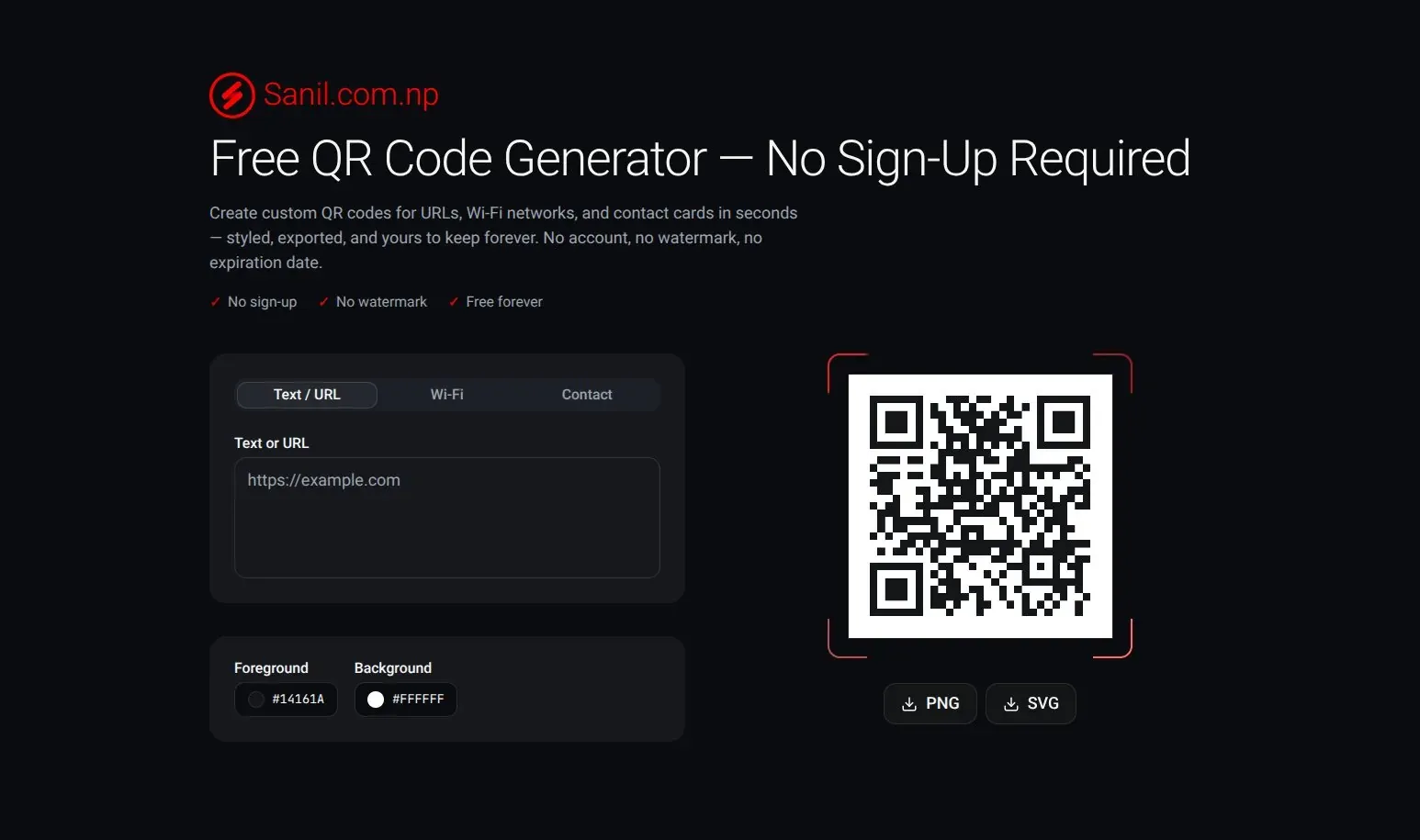
- Open the generator. Go to freeqr.sanil.app. There is nothing to sign up for.
- Type your link or text. On the Text / URL tab, enter it in Text or URL, for example
https://example.com. The QR code on the right updates as you type. - Choose colors if you like. Click Foreground and Background to change them. See Change the colors of a QR code.
- Download it. Click PNG for an image or SVG for a scalable file. See Download a QR code as PNG or SVG.
- Test it. Scan the downloaded file with a phone before you print or publish it.
Warning
If Text or URL is empty, the preview shows a code that points to freeqr.sanil.app, and you can still download it. Make sure you have typed your own link before you download.
Not a link?
Use the Wi-Fi tab to share a Wi-Fi network, or Contact for a contact card. See Choose the right QR code type.