
Show ads only on the pages you choose
By default an ad can appear wherever it is placed. Targeting narrows that down without any code. An ad with no conditions shows everywhere.
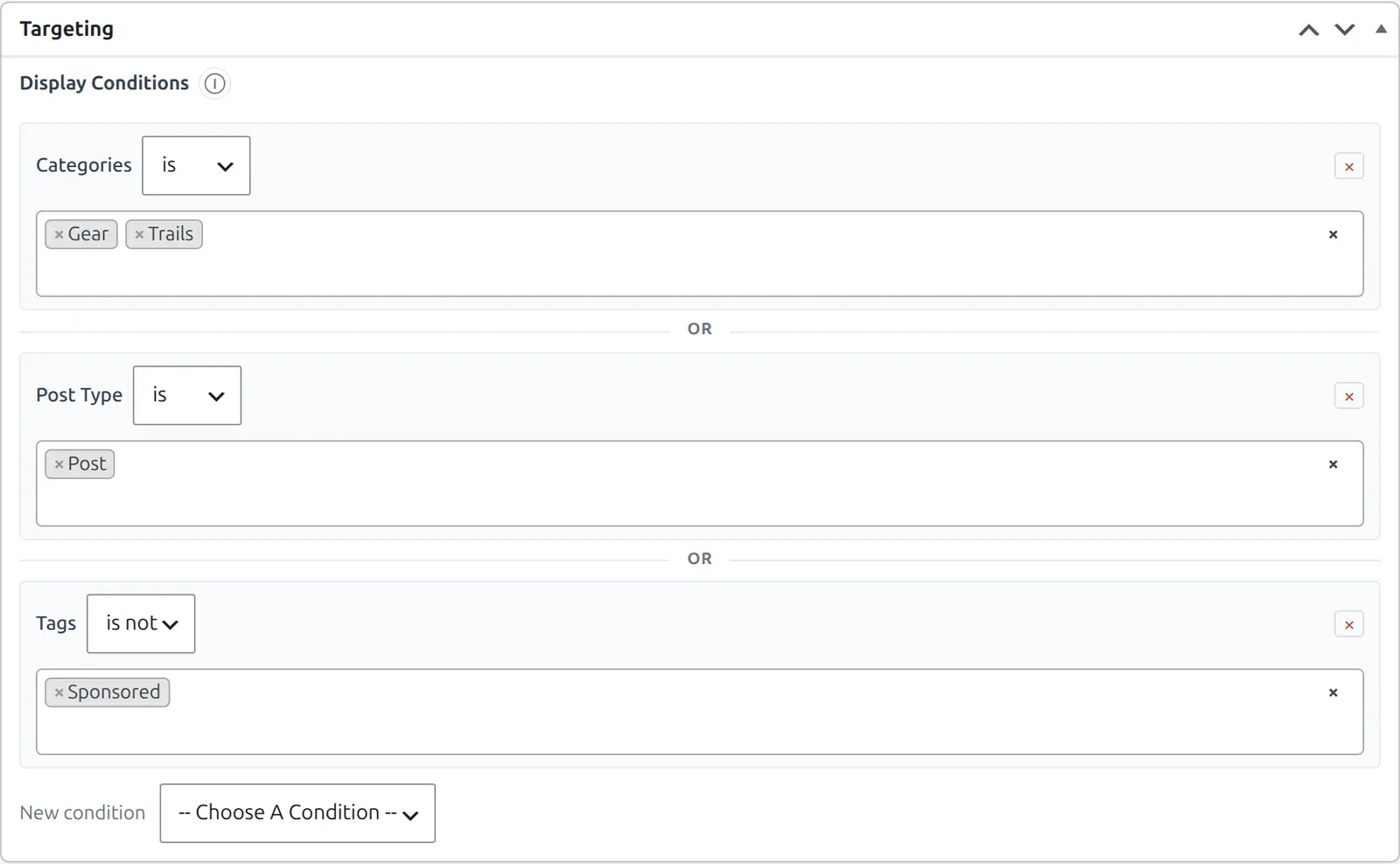
Add conditions
- Open the ad. Scroll to the Targeting panel.
- Add a condition. Under Display Conditions, use Choose A Condition and pick what to match. The choices are listed below.
- Choose is or is not. “Is” shows the ad where the condition matches, “is not” hides it there.
- Pick the values. Choose from the list. For pages, authors, categories and tags, start typing to search (pages need at least two letters).
- Save the ad. Click Update.
What you can match
| Condition | Matches |
|---|---|
| Post Type | Posts, pages and any other public post type. |
| Specific Pages | Individual posts or pages you pick. |
| Parent Page | Pages whose parent is the page you pick (its direct child pages). The parent page itself does not match. |
| Categories, Tags, Taxonomy | Posts with the terms you pick, including terms of any public taxonomy. |
| Author | Posts written by the authors you pick, and those authors’ archive pages. |
| Formats | Posts with a post format, such as Gallery or Video. |
| Page Template | Pages that use a template from your theme. |
| Content Age | Posts newer or older than a number of days, weeks or months (less than, greater than or equals). |
| General Conditions | The Static Front Page, the Blog / Posts Index, Search Results, the 404 Page, All Archives or All Singular. |
| Archive: Categories, Tags, Formats | The archive page of a category, tag or format, not the posts inside it. These conditions only offer “is”. |
How several conditions combine
- The ad shows when any of its “is” conditions match.
- It is hidden when any “is not” condition matches, even if an “is” condition also matches.
Desktop and mobile
The Show On setting is separate from targeting. It limits an ad to desktop visitors, mobile visitors, or both.
Targeting by user role (for example, hiding ads from logged-in users) is not available.
Targeting and placements
Targeting only filters. It cannot move an ad to a page where its placement does not run. For example, Before Content, After Content and After First Paragraph placements only work on single posts and pages, so a “Static Front Page” condition will not make them appear on your home page.
Conditions and the device are checked when the page is built, so a page cache can keep serving an older result. See Ads and caching plugins.