
Availability that adds up
Working hours, breaks, holidays, days off and existing bookings all shape the times customers can choose.
 Sanil Booking Kit A calmer way to run a busy day.
A free WordPress appointment booking plugin. Let customers book their own time, with your services, team and schedule together in one place.
Every feature included. No “Powered by” branding.
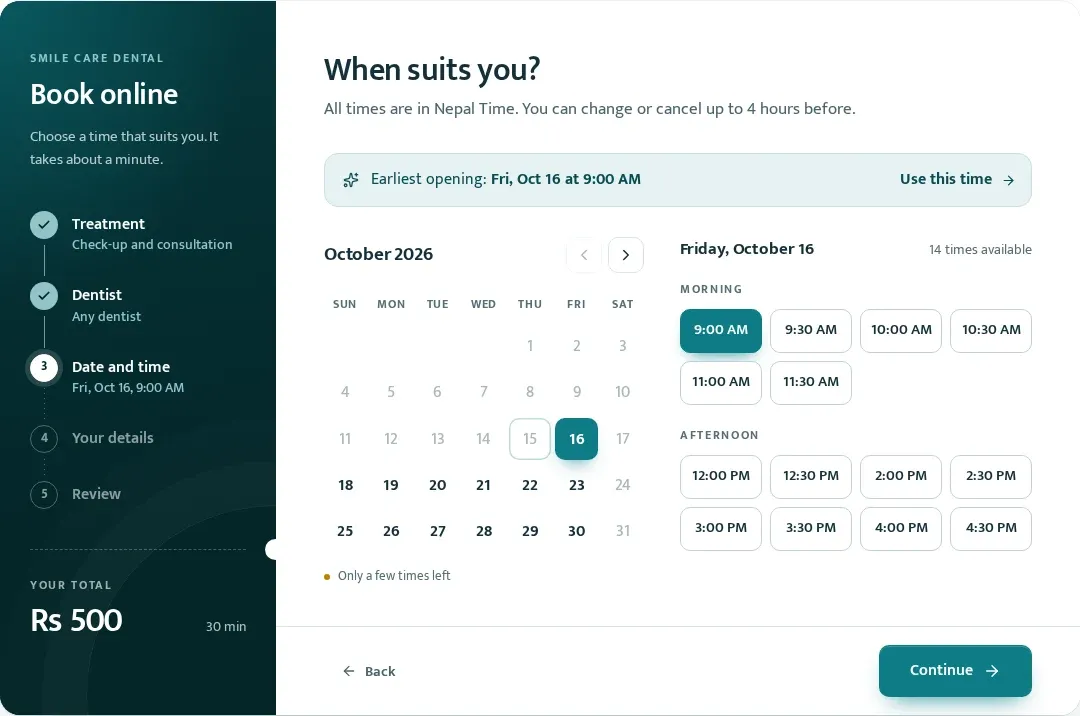
A patient, a client or a student. A treatment, a service or a lesson. Choose your business type and Booking Kit speaks your language.
Made for clinics, salons, spas, trainers, tutors, consultants, vets, garages and more.
It feels like it was made for you.Useful starting services, ready to make your own.
A welcoming front desk for customers. A clear workspace for your team.
Switch between day, week and month. Filter by team member or service, see the gaps and keep every appointment in view.
Real plugin. Example business.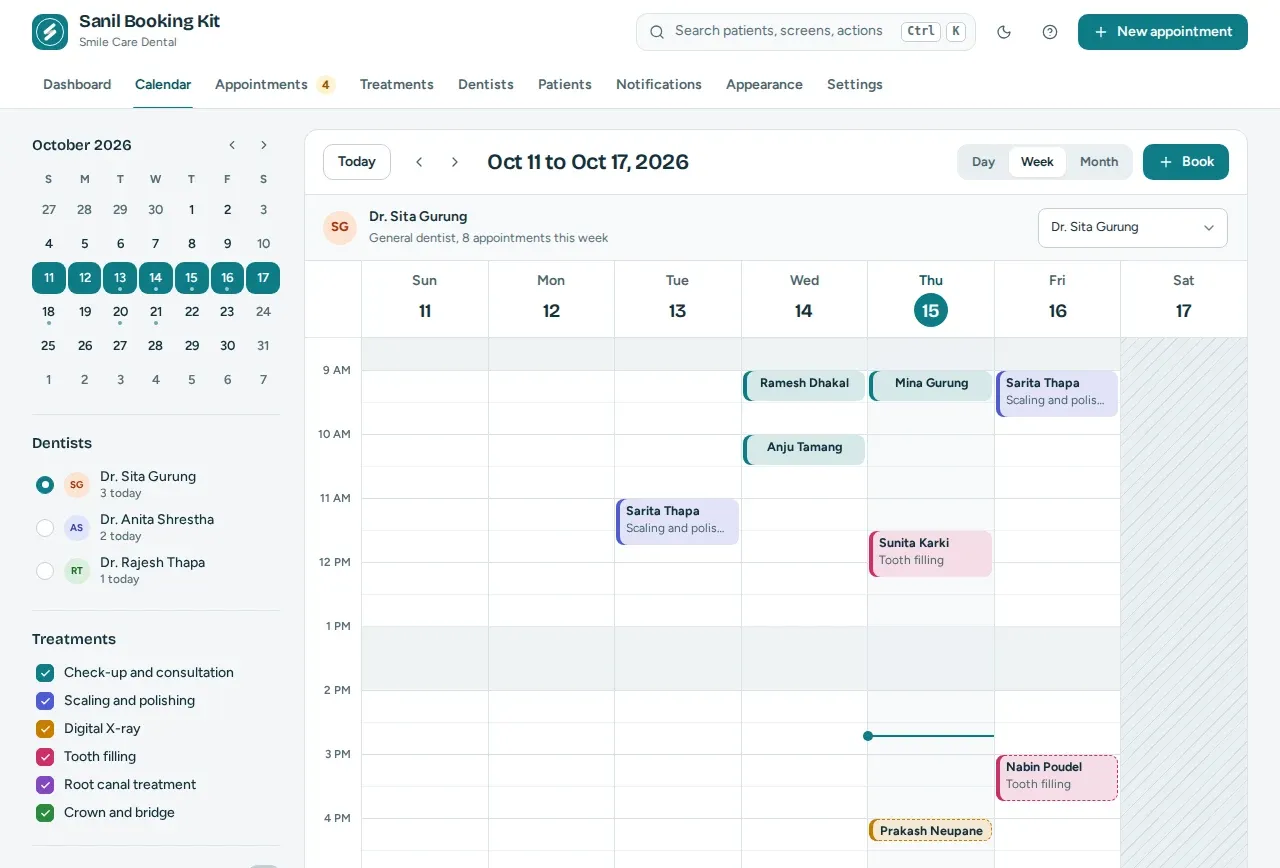
Start with today’s schedule, bookings waiting for approval and your booking numbers. Keep the busy parts of the day in one place.
Real plugin. Example business.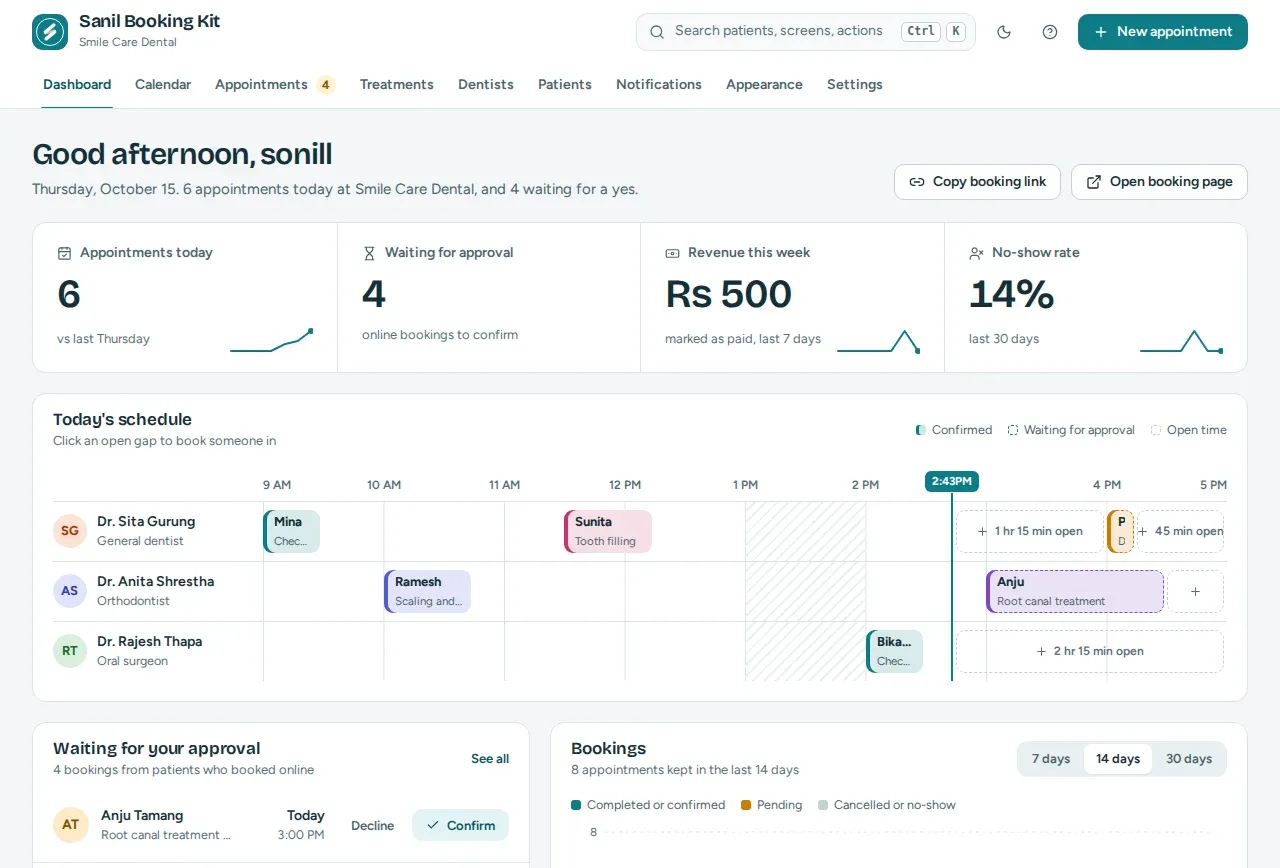
Choose your colours, type and light or dark appearance. See the real booking form update in the live preview before you save.
Real plugin. Example business.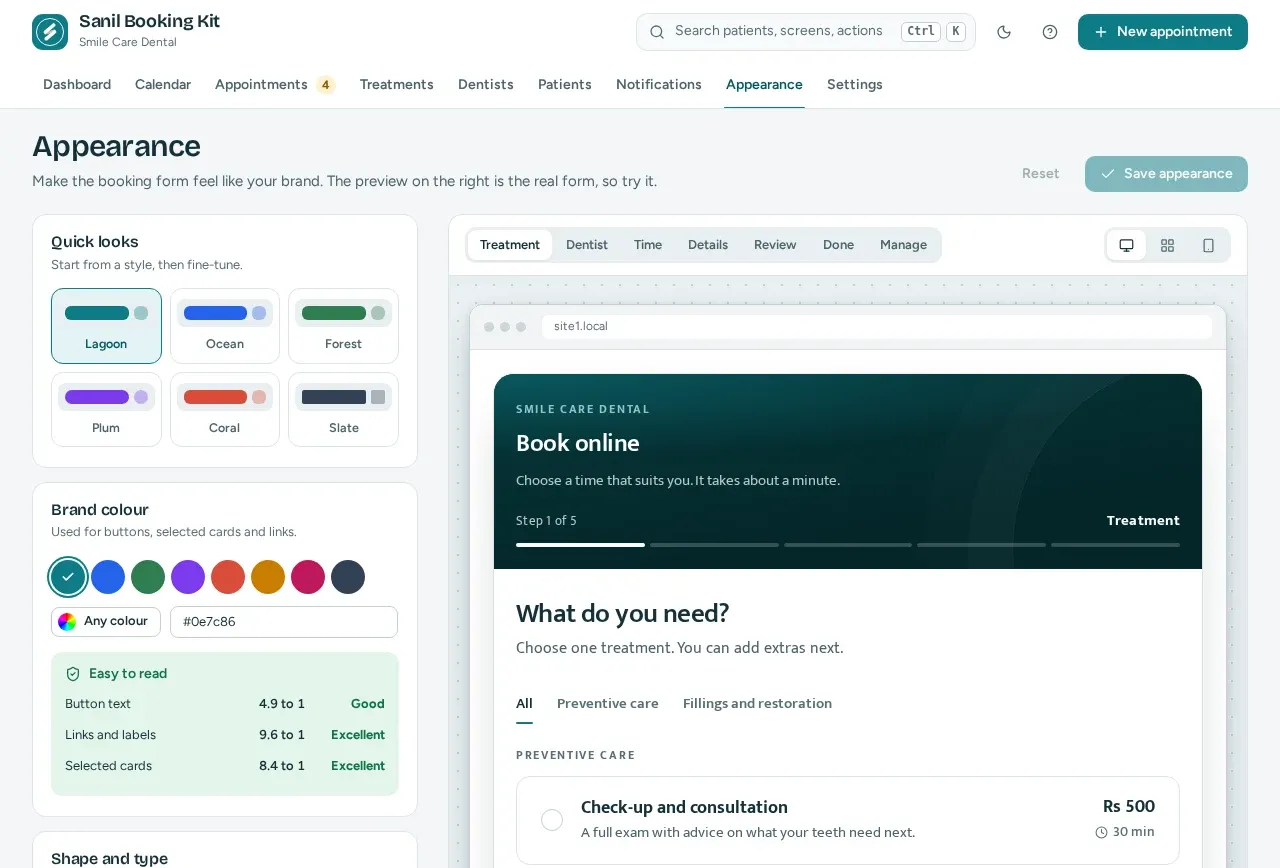
Working hours, breaks, holidays, days off and existing bookings all shape the times customers can choose.
Give each team member their own hours, breaks and days off, with per-person service prices when you need them.
Send confirmations and reminders with editable email templates that sound like your business.
Customers can reschedule or cancel through a private manage link, within your rules. No account needed.
Organise services into categories. Add extras, time buffers and your own booking questions.
Keep booking history and private notes in WordPress. Give receptionists and staff the access they need.
Your business needs the whole picture. So we included it.
Simple payments: customers pay on arrival in this version. Record payments from your workspace.
A guided setup. Your own booking page. A simpler working day.
Upload the installable plugin zip in WordPress, activate it and open Sanil Booking Kit.
Installation guideChoose your business type. Add your services, team and working hours with the setup wizard.
Business setup guideAdd the Booking Form block or shortcode to a page. Publish it and make a test booking.
Booking form guideHave another question?
Visit the help centre
Yes. All features in this version are included, with no paid tier or feature locks. The plugin is released under the GPLv2 or later license.
Install and activate Sanil Booking Kit, then complete the guided business setup. Add the Booking Form block to a WordPress page and publish it. You can also use the [sanil_booking_kit] shortcode in a shortcode block or a page builder that supports shortcodes.
No. Customers choose a service, a team member or anyone available, and a free date and time, then enter their details. Their confirmation includes a private link to reschedule or cancel within your booking rules.
No. The screenshots use a dental practice as an example. During setup, choose your business type and the plugin adapts its terminology and starter services. It supports salons, spas, clinics, trainers, tutors, consultants, vets, garages and other appointment-based businesses.
Version 1.0.0 uses payment on arrival. You can record payments in the plugin; it does not collect online payments.
Each booking’s availability is checked again inside a database lock when it is saved. If another customer has just taken the time, the second customer is asked to choose another slot.
Booking and customer details are stored in your own WordPress database. The plugin supports WordPress personal data export and erase tools, plus optional automatic anonymisation of old customer records.
The admin, booking form and emails are fully translatable, with right-to-left language support. The form follows your site language and the admin follows each user’s language. You can also rename the business terms in Settings.
WordPress 6.9 or later and PHP 8.3 or later. This version is tested up to WordPress 7.1. Reminder emails use WP-Cron; for reliable timing on a quiet site, configure a real cron job to run every five minutes.
Your customers book online. You get on with what you do best.