1. Sanil.app
  2. Sanil Ads Kit
Free WordPress ad manager plugin

Sanil Ads KitProfessional ad management for WordPress

Put banners, Google AdSense and custom HTML ads anywhere on your site without editing theme files. Rotate them, schedule them and show them only where they belong.

Price
Free
WordPress
6.0 or later
PHP
8.1 or later
Version
1.0.1
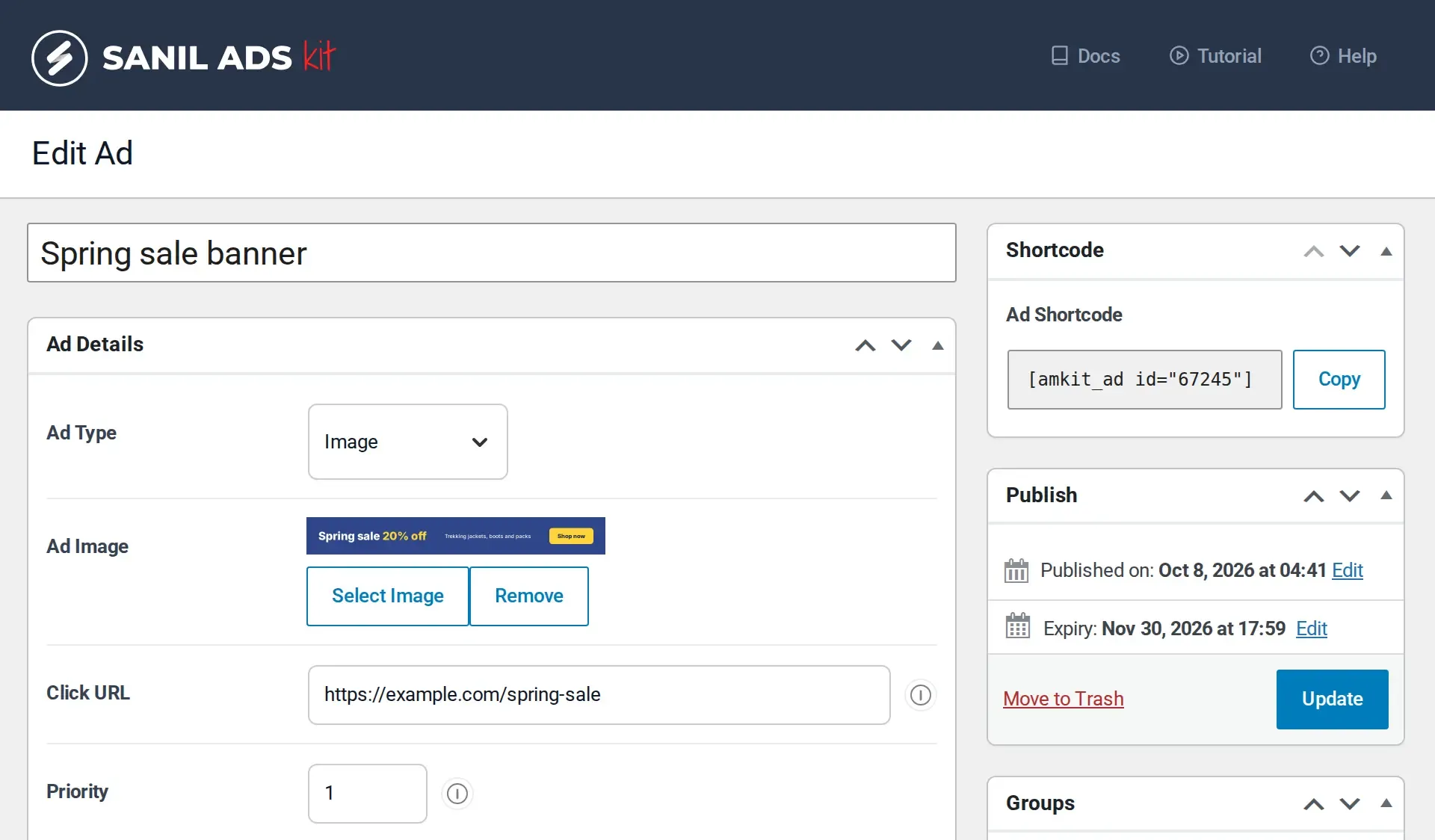
The Edit Ad screen of Sanil Ads Kit in WordPress: ad image, click URL, device setting, expiry date and shortcode
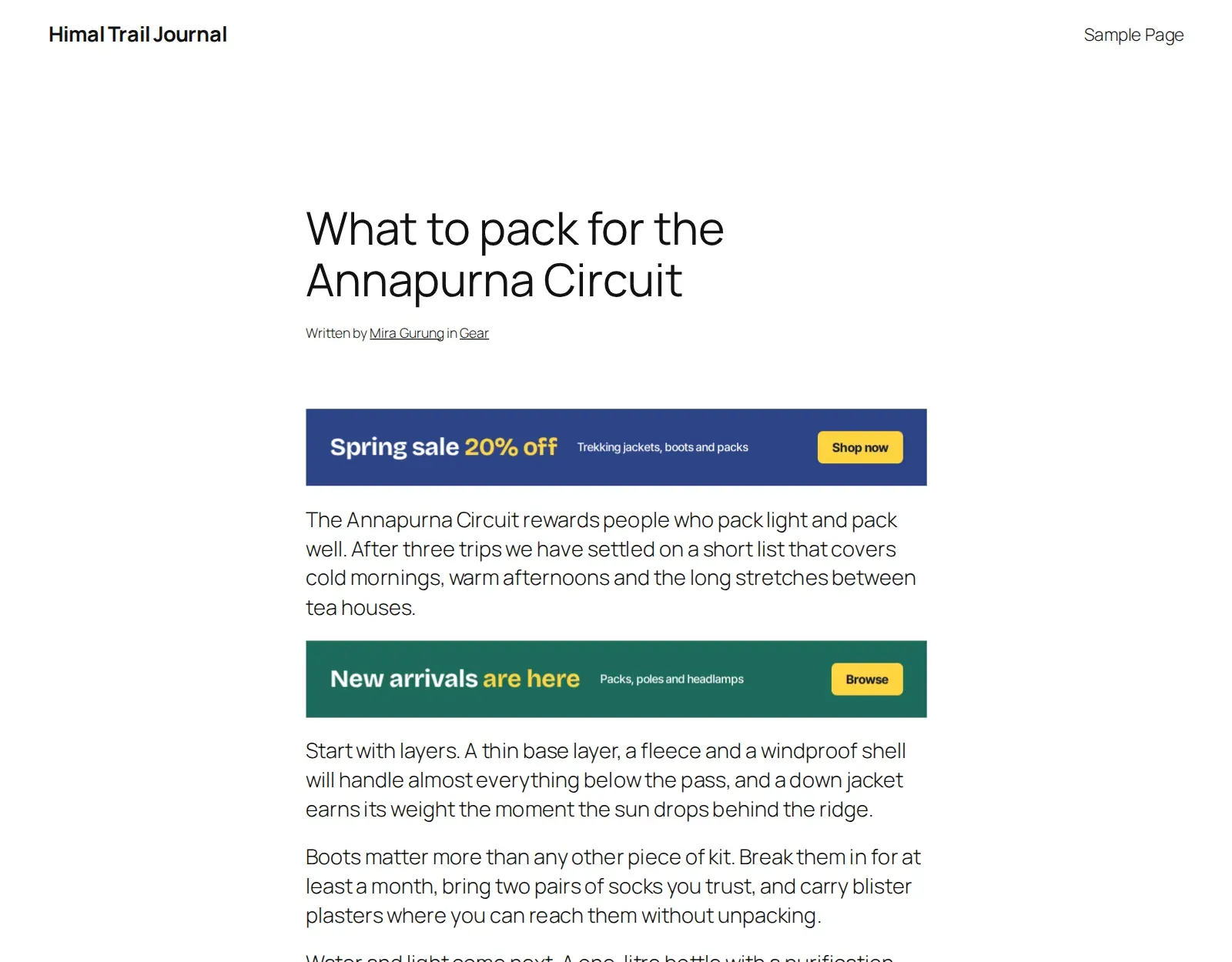
A blog post with a banner ad above the content and a rotating ad after the first paragraph, both placed by Sanil Ads Kit Before content After first paragraph
  • No jQuery on the front end
  • Works with any theme
  • Shortcodes for page builders
  • Free and open source

Place WordPress ads before, inside and after your content

A placement connects an ad, or a group of ads, to a position on your site. Create it once and Sanil Ads Kit adds it for you.

Before content
At the top of the post, above the first line.
After first paragraph
Inside the post, once readers are into it.
After content
Below the last paragraph.
Footer
In the page footer.
Popup
A popup with a delay, a show frequency and an auto-close timer.
Skip ad
A full-screen ad with a countdown and a skip button.
Manual
Anywhere you call it with a shortcode or template function.
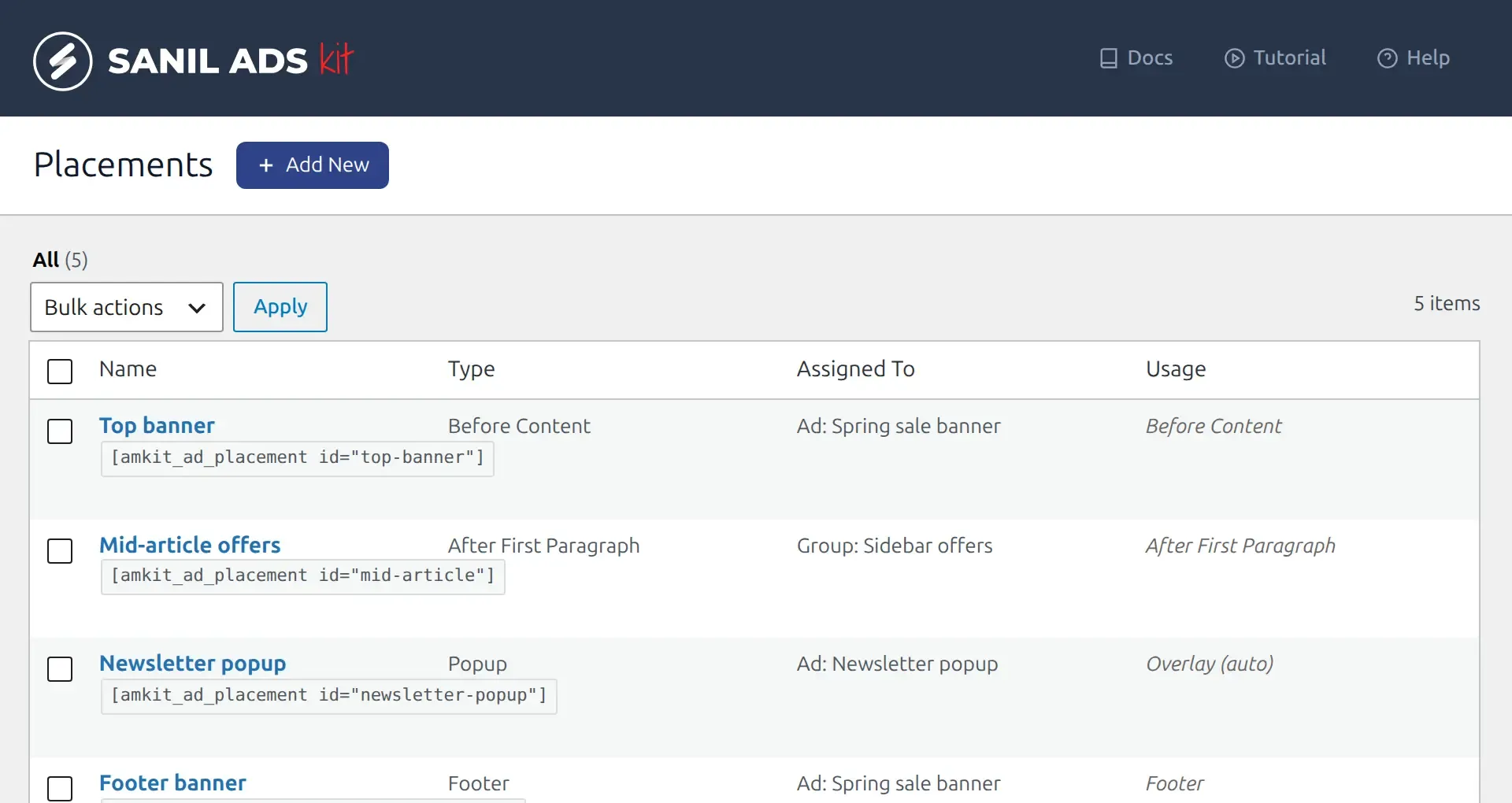
The Sanil Ads Kit Placements screen listing a top banner, mid-article offers, a newsletter popup, a footer banner and a sidebar placement

Everything you need to manage ads in WordPress

Create an ad once, then decide when it runs, who sees it and how it looks.

Image, HTML, iframe, script and AdSense ads

Upload a banner from your Media Library, paste custom HTML or a JavaScript embed, load an iframe, or drop in your Google AdSense code. Set the size, margins and alignment, and choose whether desktop, mobile or every device sees the ad.

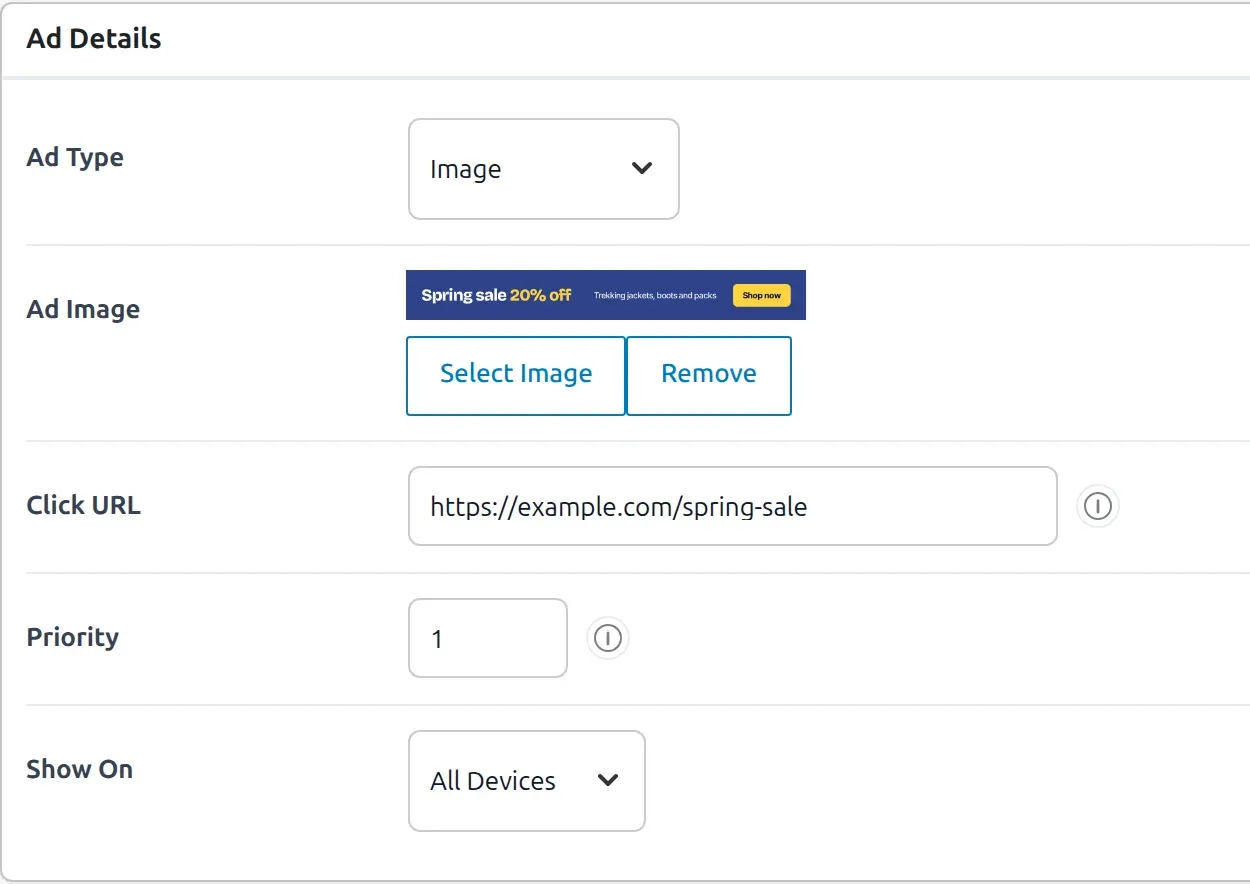
The Ad Details panel: ad type, image, click URL, priority and the device setting

Ad groups and rotation

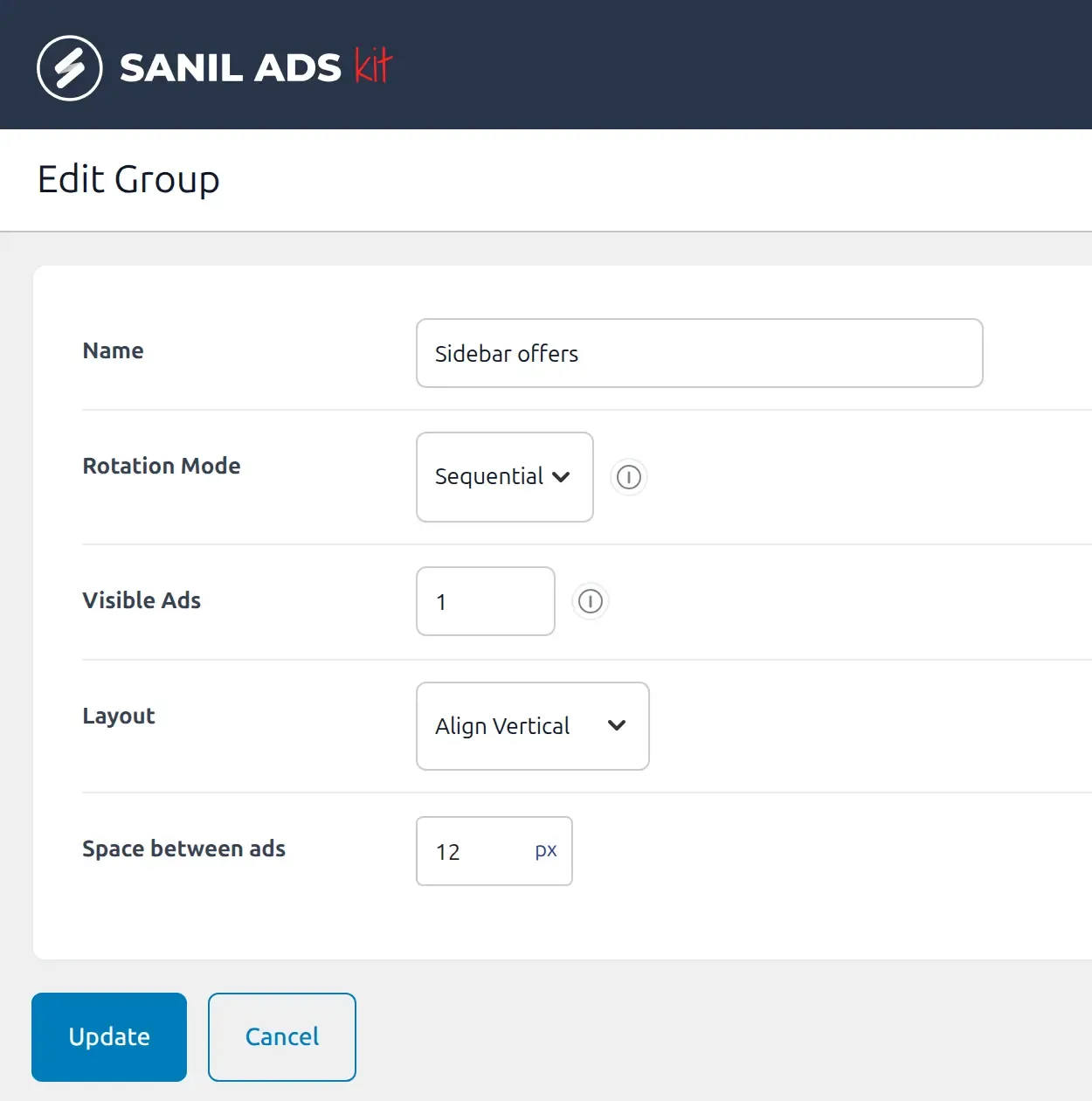
Put several ads in a group and let them share one spot, for A/B tests or campaigns. Rotate through them in order or at random, choose how many show at once, and line them up vertically or horizontally.

The group settings screen: rotation mode, number of visible ads, layout and spacing between ads

Schedule ads and target the right pages

  • Set an end date and time and the ad switches off on its own.
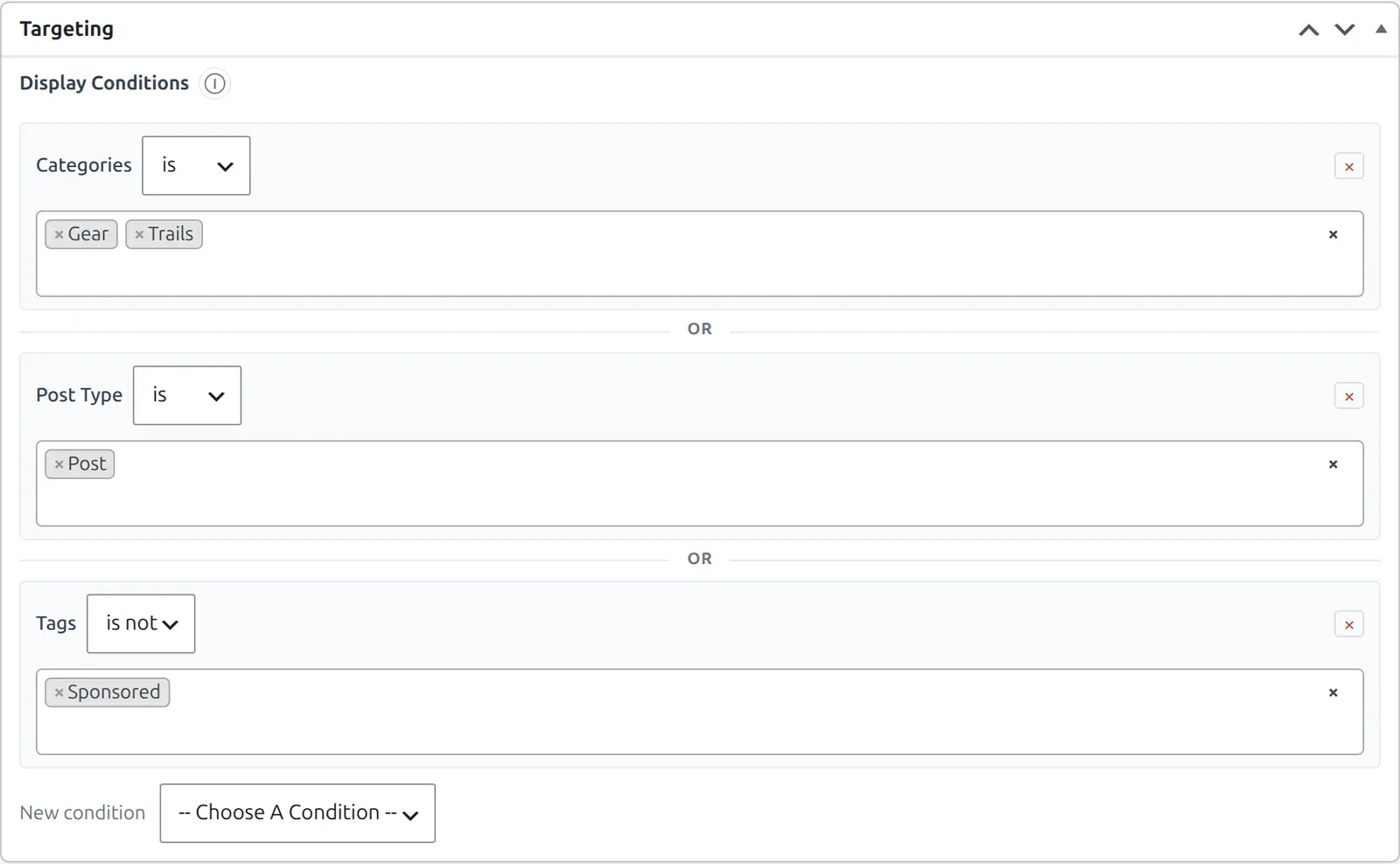
  • Show or hide by post type, category, tag, author, post format, page template, page type or content age.
  • Limit an ad to desktop, to mobile, or show it on both.
The Targeting panel with display conditions for categories, post type and tags

Popup and skip ads

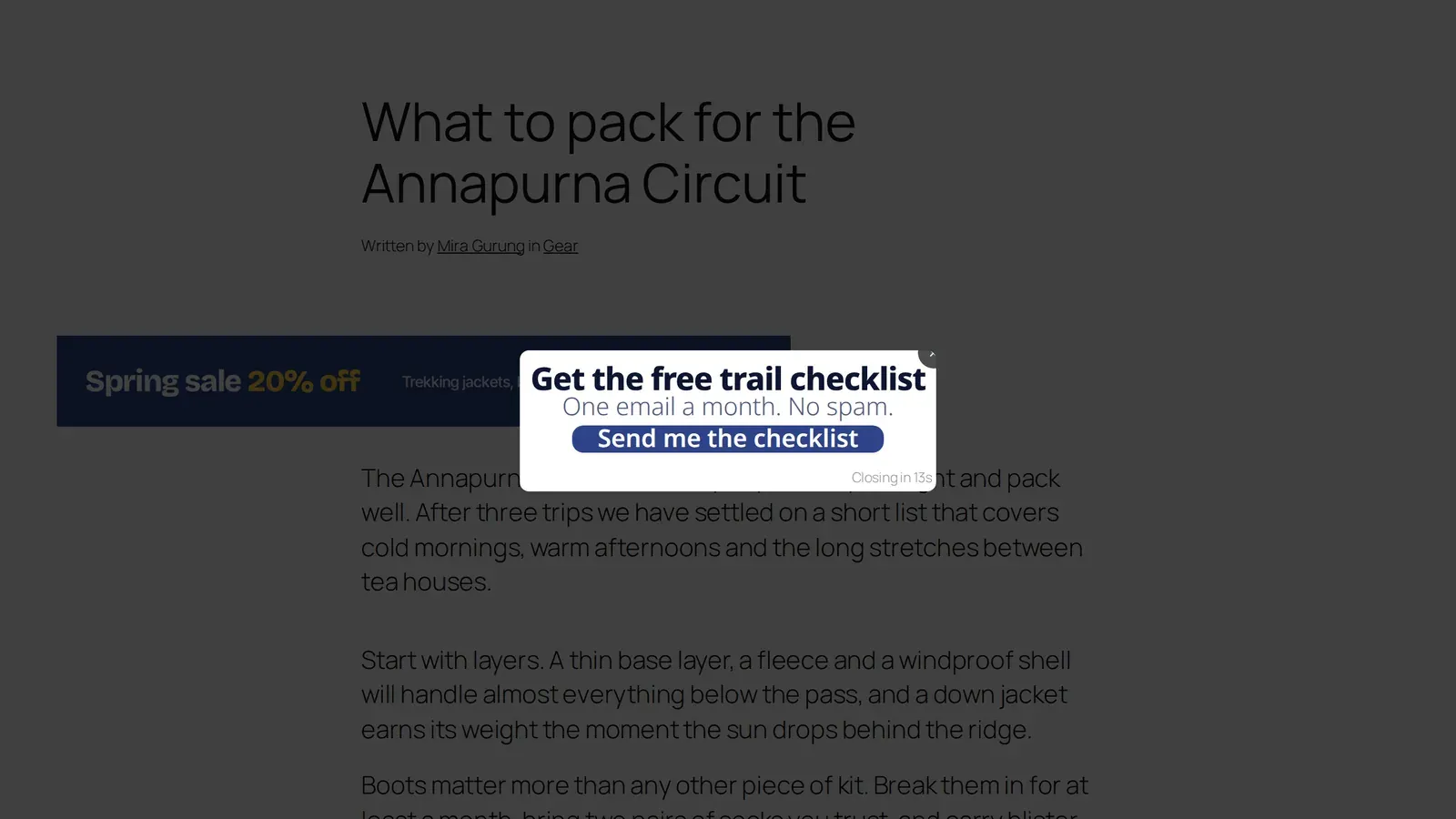
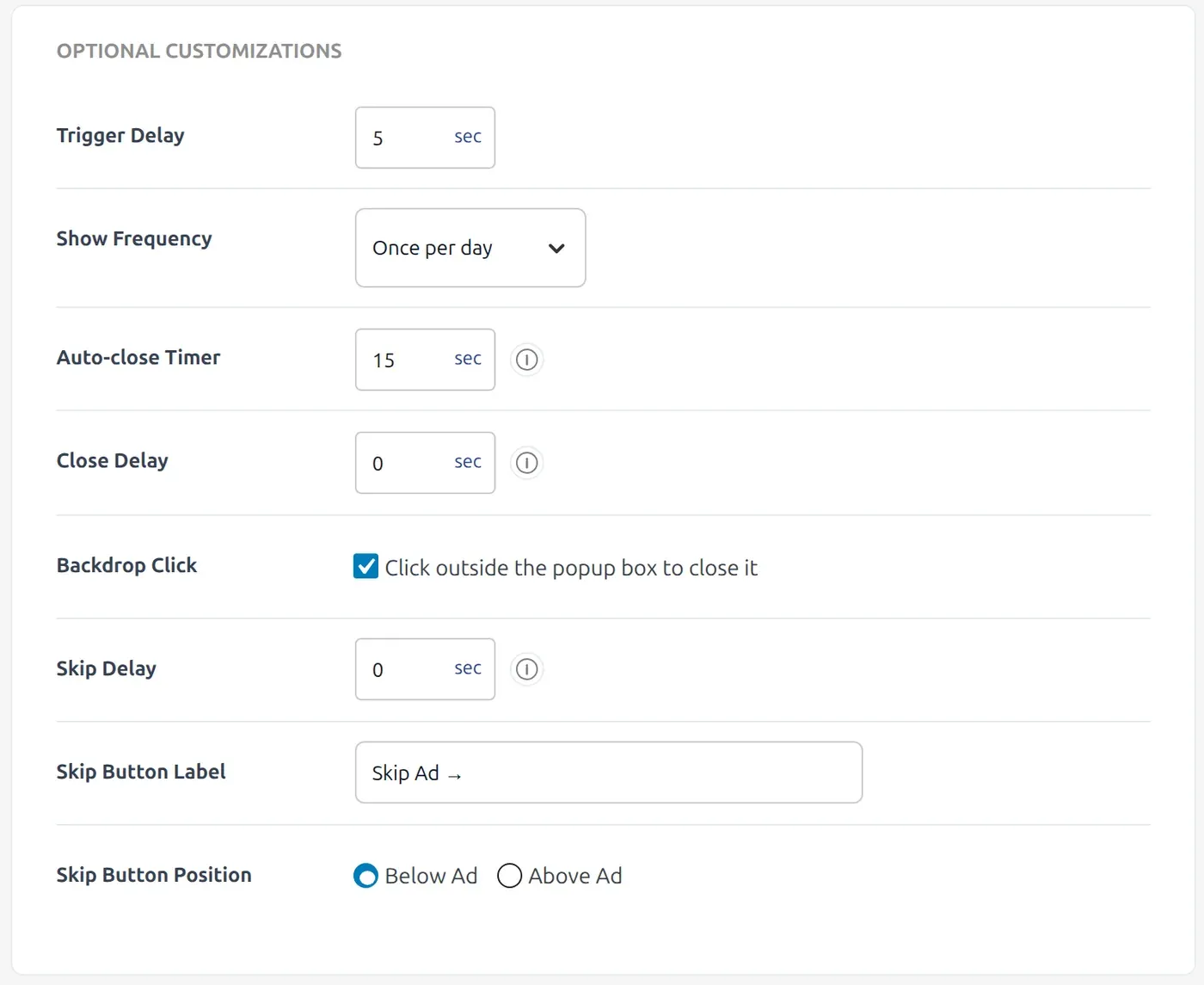
Show an ad as a popup after a delay, or as a full-screen ad with a countdown and a skip button. You control when it opens, how often a visitor sees it and when it closes.

A newsletter popup shown over a blog post
Popup placement settings: trigger delay, show frequency, auto-close timer, backdrop click and skip button options

Add ads with a Gutenberg block, a shortcode or your theme

Insert an ad or a group with the Sanil Ads Kit block in the Gutenberg block editor. In page builders such as Elementor or Divi, use a shortcode. In theme templates, use a template function.

// Shortcodes
[amkit_ad id="123"]
[amkit_ad_group slug="sidebar-offers"]
[amkit_ad_placement id="after-first-paragraph"]

// Theme templates
<?php amkit_ad_group( 'sidebar-offers' ); ?>
<?php amkit_ad_placement( 'footer-banner' ); ?>

Track ad impressions and clicks in WordPress

See how each ad performs without leaving WordPress: impressions, clicks and click-through rate.

  • By day
  • By hour of day
  • By country
  • By page

Install Sanil Ads Kit in three steps

It works with any theme and needs nothing beyond WordPress itself.

  1. Install and activate

    In WordPress, go to Plugins, Add New Plugin, then Upload Plugin. Choose the zip file, install it and click Activate.

  2. Create your first ad

    Open Sanil Ads Kit, then All Ads, then Add New. Choose the ad type, add your image or code and publish.

  3. Choose where it appears

    Open Sanil Ads Kit, then Placements. Add a placement such as After first paragraph and assign your ad or group to it.

Version
1.0.1
WordPress
6.0 or later
PHP
8.1 or later
License
GPLv2 or later

Sanil Ads Kit questions

Quick answers about the plugin.

Is Sanil Ads Kit free?

Yes. Sanil Ads Kit is free and released under the GPLv2 or later license.

How do I add ads to WordPress without editing theme files?

Create an ad, then add a placement such as before the content, after the first paragraph, after the content or in the footer, and assign your ad to it. The plugin inserts the ad for you. You can also insert an ad or a group with the Sanil Ads Kit block or a shortcode.

How do I insert an ad after the first paragraph in WordPress?

Create an ad, then open Sanil Ads Kit, Placements and add a placement with the After First Paragraph type. Assign your ad or ad group to it and the plugin inserts it into every post for you. No shortcode or theme edit is needed.

Does Sanil Ads Kit support Google AdSense?

Yes. Choose the Google AdSense ad type and paste your AdSense code. Because AdSense and script ads output raw code, only users who are allowed to post unfiltered HTML, normally administrators, can save them.

Can I rotate several ads in the same spot?

Yes. Add the ads to an ad group, choose sequential or random rotation, set how many ads show at once, and assign the group to a placement or a shortcode.

Can I show a popup ad in WordPress?

Yes. Add a popup placement and set the delay before it opens, how often a visitor sees it and when it closes by itself. For a full-screen ad with a countdown and a skip button, use a skip ad placement.

Is there a Gutenberg block for ads?

Yes. The Sanil Ads Kit block in the Gutenberg block editor inserts a single ad or an ad group into any post or page, so you do not need a shortcode.

Can I schedule ads?

Yes. Set an end date and time and the ad stops showing on its own. To start an ad later, schedule it the way you would schedule a post.

Can I show ads only on certain pages or devices?

Yes. Each ad has targeting rules that show or hide it by post type, category, tag, author, post format, page template, page type or content age. A device setting limits an ad to desktop, mobile or all devices.

Will Sanil Ads Kit slow down my site?

It is built to stay light: the front end uses no jQuery, and the popup scripts load only when you have a popup or skip-ad placement. It cannot change how fast the ad networks behind the code you paste in are.

Does it work with Elementor, Divi and other page builders?

Yes, wherever you can use shortcodes. Add a Sanil Ads Kit shortcode to the builder’s shortcode or text widget.

Is it compatible with caching plugins?

Yes for ads that look the same to every visitor. Ads that rotate or depend on targeting rules can need that part of the page left out of full-page caching.

What do I need to run Sanil Ads Kit?

WordPress 6.0 or later and PHP 8.1 or later. It has been tested up to WordPress 7.1.

Can I see impressions and clicks for my ads?

Yes. Analytics shows impressions, clicks and click-through rate for each ad, with reports by day, hour, country and page.

Where can I get help?

Send a message through the contact form or email [email protected].

Take control of the ads on your WordPress site

Sanil Ads Kit is free. Download it, activate it and place your first ad.